Showing posts with label Coding. Show all posts

Thursday, 25 September 2014

When to teach what in Primary Computer Science

There are a lot of concepts in Computer Science and it is important to teach them in a sensible sequence. This post is for primary children, for Secondary the planning is well defined in the Compute IT series. (I am one of the authors)  So here are some of the tools that I use and when I use them.
UK Year group Age What I use
1 5-6 Beebots & iPad Apps
2 6-7
3 7-8 Lego WeDo / Scratch & Scratch Jnr
4 8-9
5 9-10 Scratch, html (via webmaker.org/tools & Blue Griffon
6 10-11


This is really just an idea of the tools I use and I also ensure children have a good grounding in core ICT skills. In the 21st century, ideally we should cover all angles. We don't want Computing students at University who can't write an essay in Word or explain a project with appropriate slides!  Below is a much more thorough presentation taking you through most of the tools available that I gave at the 21st century learning conference.


If you are looking for a ready made curriculum, check out my Ready Made Curriculum post.

Saturday, 6 September 2014

Taking Your first steps in Programming

Taking your first steps in programming can be a little scary! However don't worry, there are lots of great tutorials to get you started. You can buy a book, watch a video or follow some simple tutorials.  I am going to start by suggesting Scratch. It's a friendly, visual language and a great place to start to learn to code. I can get most students to make their first game in less than 30 minutes, so I promise it doesn't take long to get started!


When my son was 9, he made this Screencast to help other children get started and I think it's probably the best way to see how simple coding can be!


Once you have seen that, probably the best place to start is the help Section of the Scratch Website. http://scratch.mit.edu/help/  It includes lots of help and some lovely tutorials. After that, on this blog, have a go at the Making Your First Game tutorials.  Once beyond that, Shaun The Sheep is happy to help.

If you have an iPad and a computer together, then David Phillips has made a nice app to help.  There are also some excellent books to buy on Amazon. Super Scratch Programming Adventure and Learn To Program With Scratch

Saturday, 9 August 2014

We need a plan for Primary Computing right now!

After the summer, every school in the UK should be teaching Computing and this is a great challenge for many primary teachers who had enough difficulty with the requirements of older curriculum to do sequencing.   If you are a teacher with enthusiasm for Computing then you will enjoy finding the apps and playing with Scratch and even Shaun The Sheep to deliver a truly engaging curriculum. However this is a blog entry for head teachers who need a plan and they need a plan now!

These are the options that can be bought right now, both have free samples so you can give them a try and see if they are worth ordering.  If money is an issue, I would priorities Upper Key Stage 2, because this is where it gets most complicated and much of lower curriculum can be covered with a few apps, turtles and Maths that is familiar.
Written by Liane O'Kane who is a primary computer science master teacher teach computer science to primary pupils of all ages and train teachers in how to teach computing.  The total cost for all of the packs is £600, which is substantial but includes all the planning needed.

This is written by Miles Berry, who has had many years of experience in NAACE and with Computing at School. The full pack costs £965.  There are discounts available if you bought Switched on ICT. 


Sunday, 6 July 2014

Code Kingdoms - Flashy salesroom for Javascript!

Code Kingdoms is a Website and App that enables you to learn the Syntax of Javascript. What I like about it, is it's focus on playing games and debugging.

It has the feel of an RPG and cute graphics that children enjoy. It also shows real Javascript in a gamified environment.

My concern is that children see this great environment, but I am not sure they will connect it to the real life purpose of Javascript, which is essentially to make Web-pages interactive.  It feels like a showroom for something that isn't that attractive. For example the more mundane W3Schools does what it says on the tin, but gives the children the real language.

Give Code Kingdoms a try and let me know what you think in the comments.

Friday, 27 June 2014

Hierarchy of Visual Programming

Many people enjoy the creativity of making games, the graphics and the coding but how do you as a teacher know where to start? And where to go to bring your children up to a professional level! The answers are all in this video that I made. I hope you enjoy it! 


Thursday, 5 June 2014

Light Bot 2.0 Great for developing logical thinking

It is great when something is fun, free and really educational. Light Bot 2.0 is all of those things and really gets you thinking about the best way to solve some quite fiendish problems. You can play the game at: http://armorgames.com/play/6061/light-bot-20  Please note the site is supported by advertising, some of which may not be suitable for younger children.

There is also an hour of code edition, which is advert free, here: http://light-bot.com/hocflash.html

There are also apps to buy too: http://light-bot.com/

Great job at teaching children Computational Thinking!

Sunday, 1 June 2014

Coding with an iPad

A large number of iPads are being deployed in schools and they should not be discounted from the possibility of helping children learn sequencing and ultimately coding.

Here are my 9 favourite apps for coding.

1. Daisy The Dinosaur - Great app for introducing simple programming blocks to young children.

2. Bee-bot - Works in a similar way to the physical robot, great for developing logical thinking

3. Kodable - Really takes coding to the next level and with the Sync option, lesson plans and a full set of resources, consider investing in the premium option. (Kodable Sync)

4. A.L.E.X. Nice set of levels with a more exciting interface than some of the cute graphics available in other apps. (Only provides in-app upgrade, but 25 levels for free)

5. Cargobot - Great set of levels introduces repetition as well. Completely free and challenging even for adults at the higher levels.

6. Hopscotch - This has gotten very close to being Scratch for iPad with a community and a proper sandbox mode for children to explore. Make sure you check out the new version, which has come along in leaps and bounds.

7. Tynker - I love the narrative approach taken with this and lots of potential. A great way to build up to Scratch on PCs. (Tynker Premium is also available with all content unlocked)

8. Dynamic Art - Wonderful in its own right, but if you do not have PCs then a possible alternative to Scratch. (Full version: Dynamic Art)

9. Codea - I'd prefer children to be on some sort of PCs for text-based coding, but this is the closest the iPad has to a proper coding platform.  (No free version available)
Friday, 23 May 2014

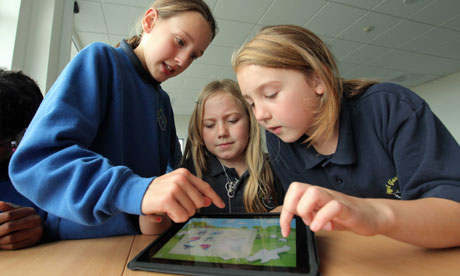
Shaun The Sheep Teaches Coding

Shaun The Sheep from Aardman Animations is now teaching coding!  This is a great innovation and I am pleased to see Aardman making cool characters and animations for children to use.


The resources are of very high quality and ideal for Gifted and Talented Key Stage 2 children and for general use in Key Stage 3.  If you want a simpler platform game, check out Making Your First Game>>  What makes this wonderful for classroom use is the combination of videos and printable resources. So everybody can have a go. Check out the full Shaun The Sheep Game Academy>>

Thursday, 22 May 2014

Using Scratch to Teach Key Stage 2 Computing

KS2 Curriculum

The new UK Key Stage 2 Curriculum Provides a wealth of opportunities for a large number of pieces of software, but Scratch is in an excellent place to meet many of the programming based learning Outcomes. This page may look incredibly simple, but I've tested every resource here and know that it can add real value to your teaching. If you are looking for more general resources, then don't forget the Websites With Scratch Resources


 Pupils should be taught to: Scratch Resources
design and write programs that accomplish specific goals, including controlling or simulating physical systems; solve problems by decomposing them into smaller parts
use sequence, selection, and repetition in programs; work with variables and various forms of input and output
use logical reasoning to explain how a simple algorithm works and to detect and correct errors in algorithms and programs
understand computer networks including the internet; how they can provide multiple services, such as the world-wide web; and the opportunities they offer for communication and collaboration
use search technologies effectively, appreciate how results are selected and ranked, and be discerning in evaluating digital content
use technology safely, respectfully and responsibly; know a range of ways to report concerns and inappropriate behaviour
  •  ThinkUknow (Important, before students go online and use Scratch Website)
select, use and combine a variety of software (including internet services) on a range of digital devices to accomplish given goals, including collecting, analysing, evaluating and presenting data and information.

CAS & TES Resource links generally need a free user account.

Sunday, 18 May 2014

Making your first game

This fun tutorial shows you how to make your first game. a cute little platformer. 
1. First Game
Scratch is a fun platform to make games on.  Here is a silent video tutorial to show you 
how to make a very simple racing game. 

FIRST GAME


2. Making a Drum Kit
After you have made your first game, you might like to then have a go at making a drum kit.  
Make sure you freeze the first frame to check you have code to go left and right.  

YOUTUBE VIDEO


3. Making some simple Platforms
Once you are able to go left and right, you can make some simple platforms. 

YOUTUBE VIDEO

You might like to make those platforms move to make a simple Crazy Platforms game.

YOUTUBE VIDEO


If you would like to see a more complete game, have a look at: 2 Player Platformer or 
you can make a life system. 

4. Adding Lives

ADDING LIVES

Fun Ideas to extend your game

SIMPLE CODE COOKBOOK

Other fun games to try and make

Putting the words of the Curriculum into the Language of Scratch


The jargon seems to me, to look a lot easier when it is put into context via Scratch. I hope this is useful!